


Quotations, VAT invoices and double-entry accounting, built for the Gulf. One payment, owned outright.
Quoting, invoicing, collections, bank imports and financial reports in one system. Every figure agrees, from the first quote to the final report.
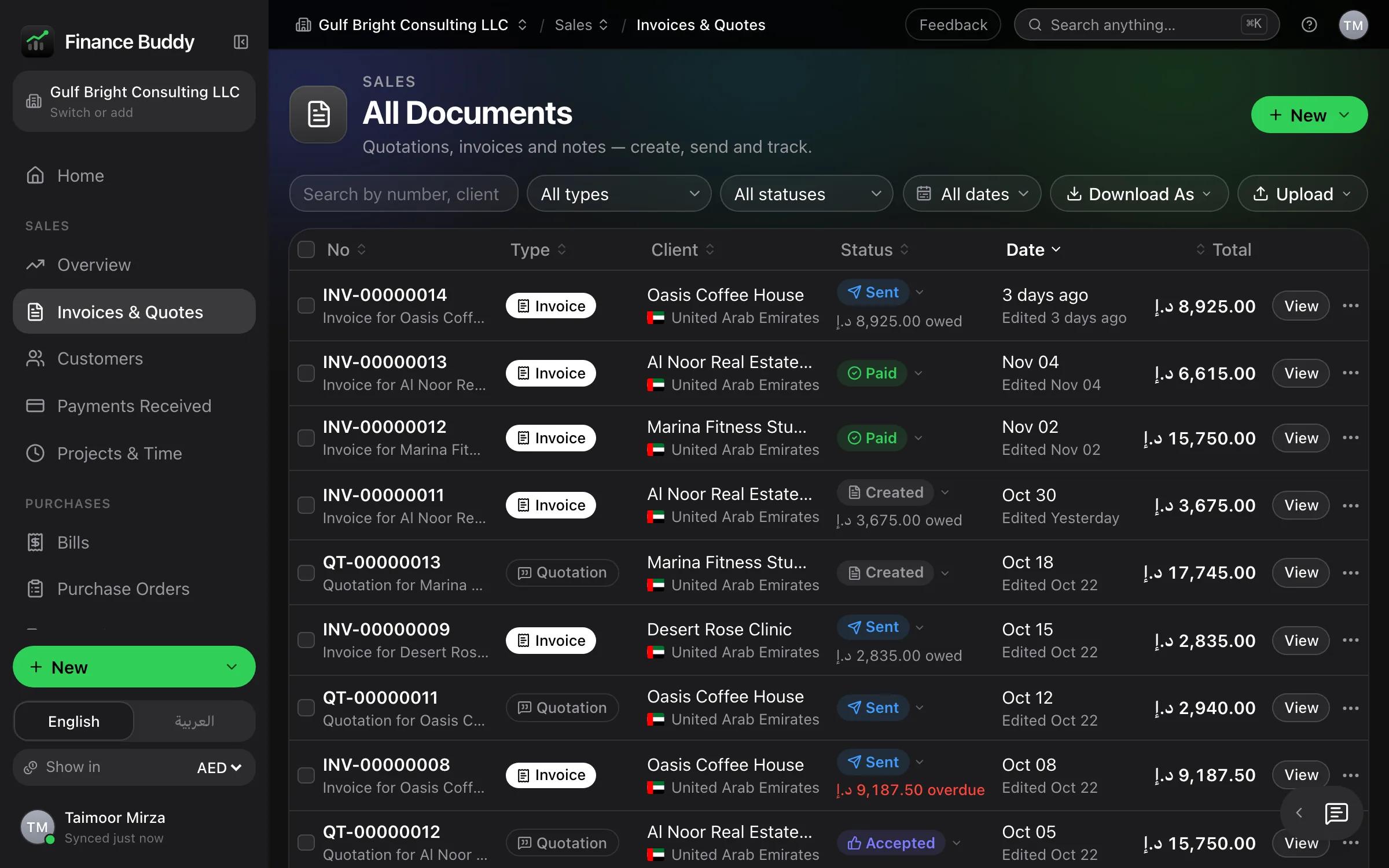
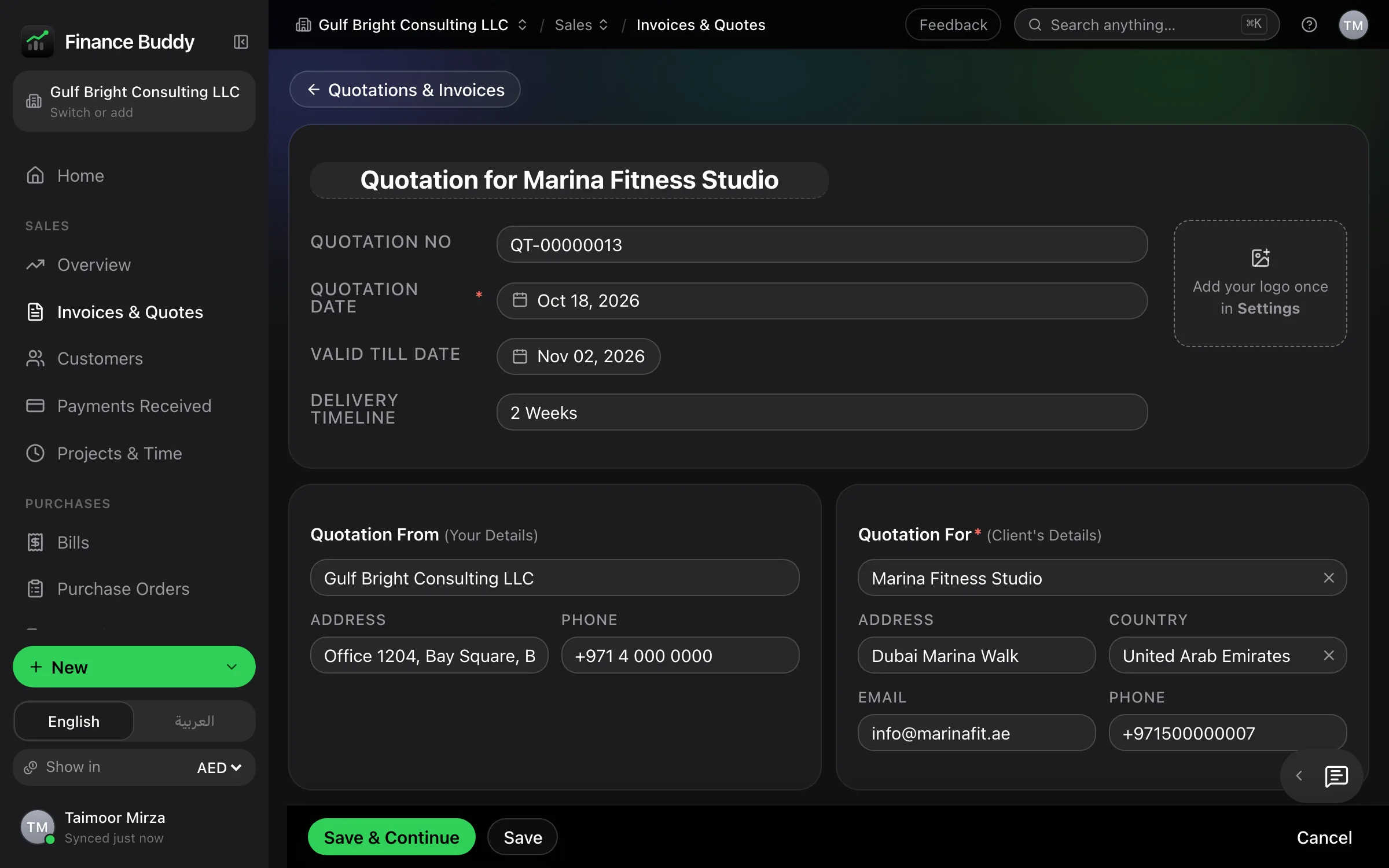
Clients and items complete as you type. An accepted quotation becomes a numbered, linked invoice in one click.
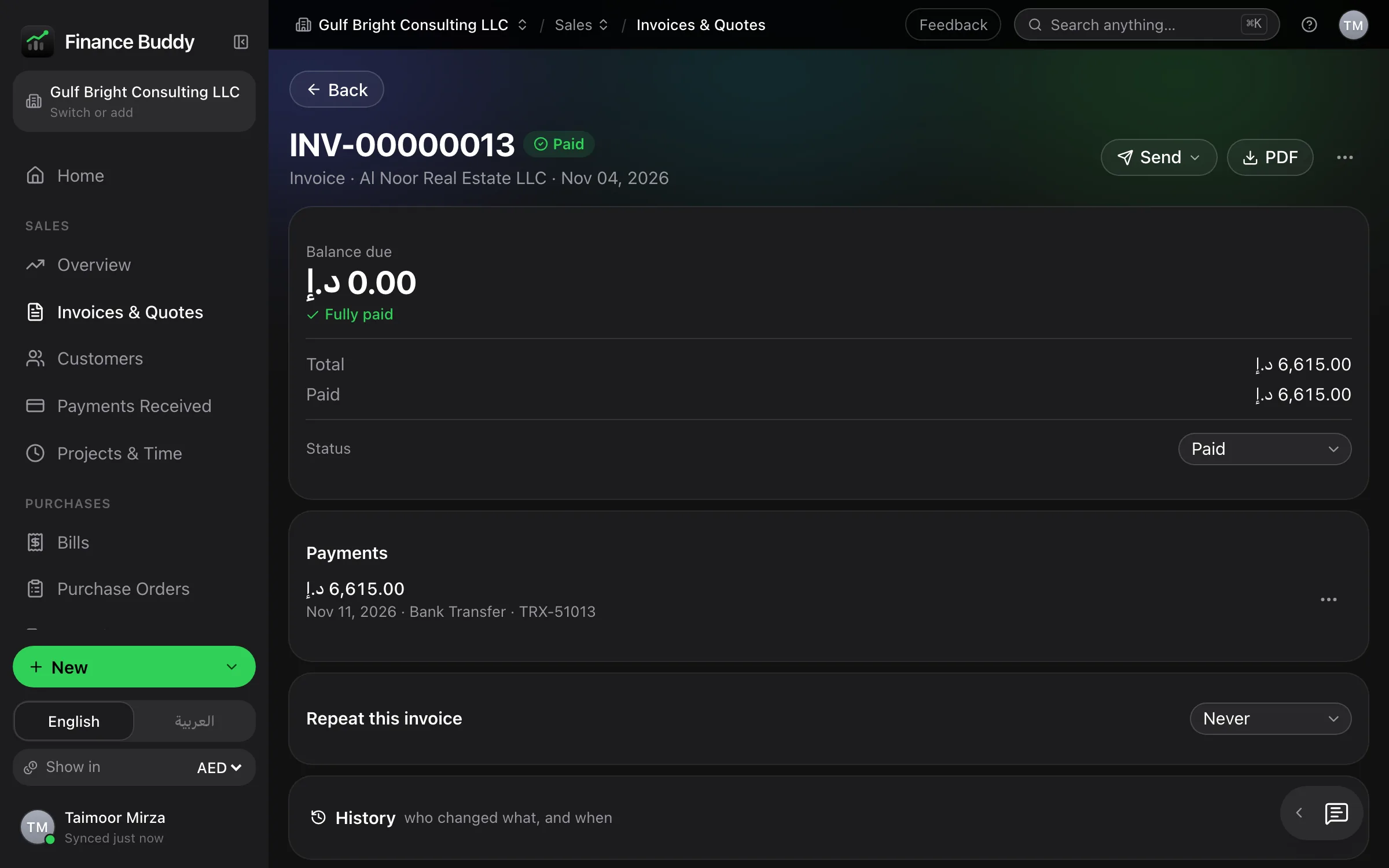
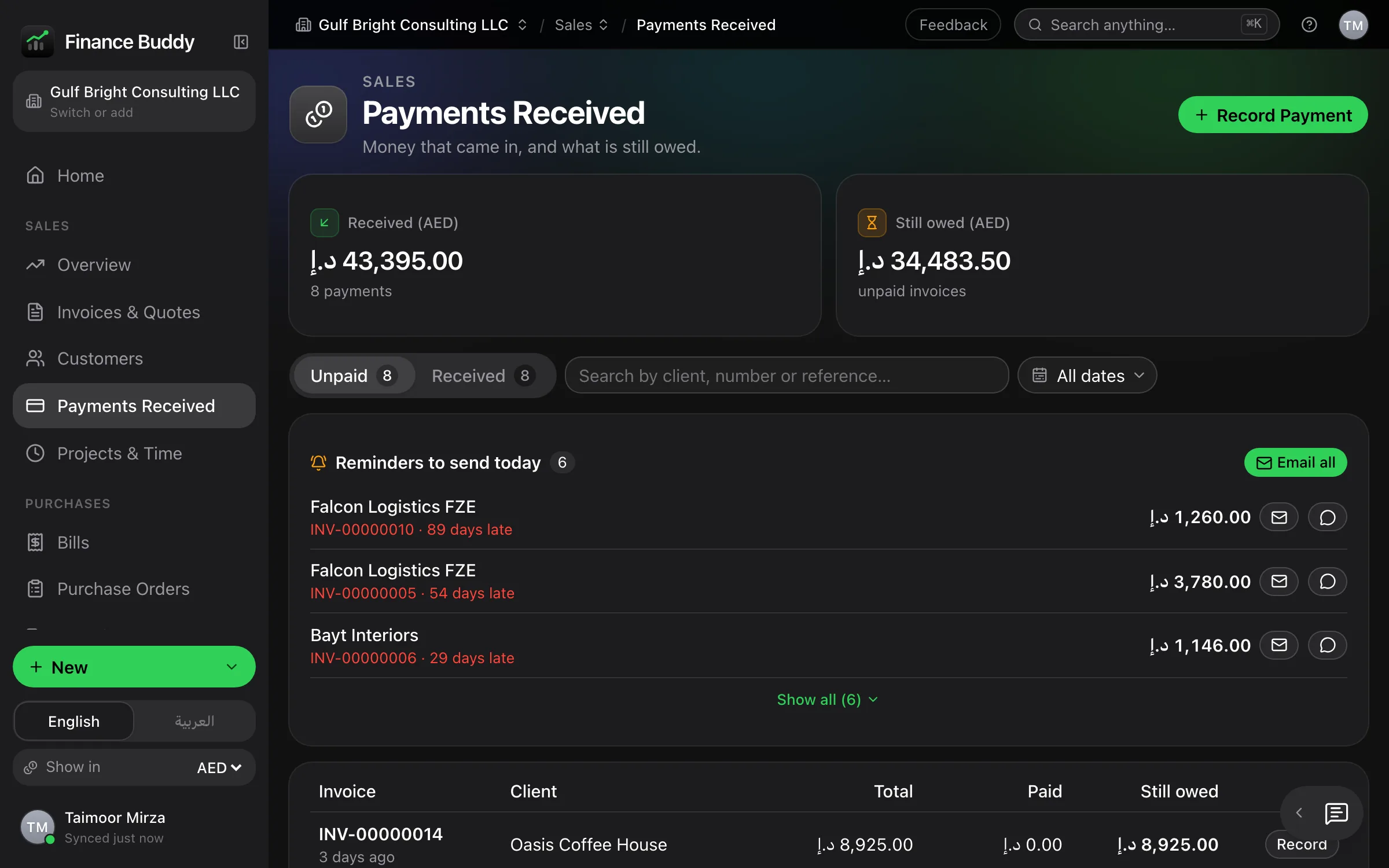
Record a payment and every balance updates: paid, part-paid, outstanding. No side spreadsheets.
Upload your bank’s .xlsx statement. Categorise a merchant once and it is applied automatically from then on.
Balance sheet, profit and loss and trial balance. Unbalanced entries are rejected by the database.
Separate numbering, clients and books for each entity, switched from the sidebar.
Runs in the browser, works offline and syncs to your own private database. Also on your phone.
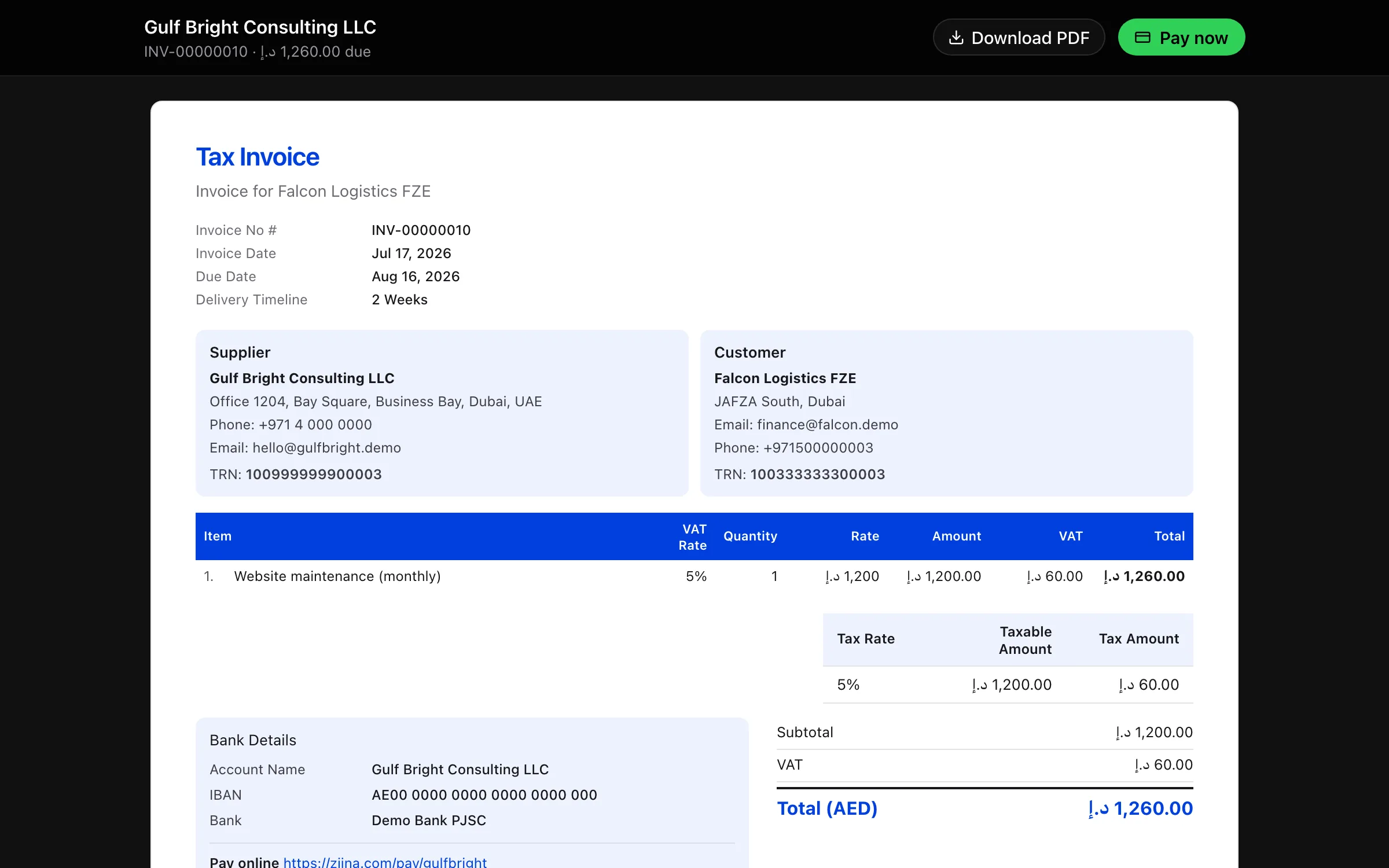
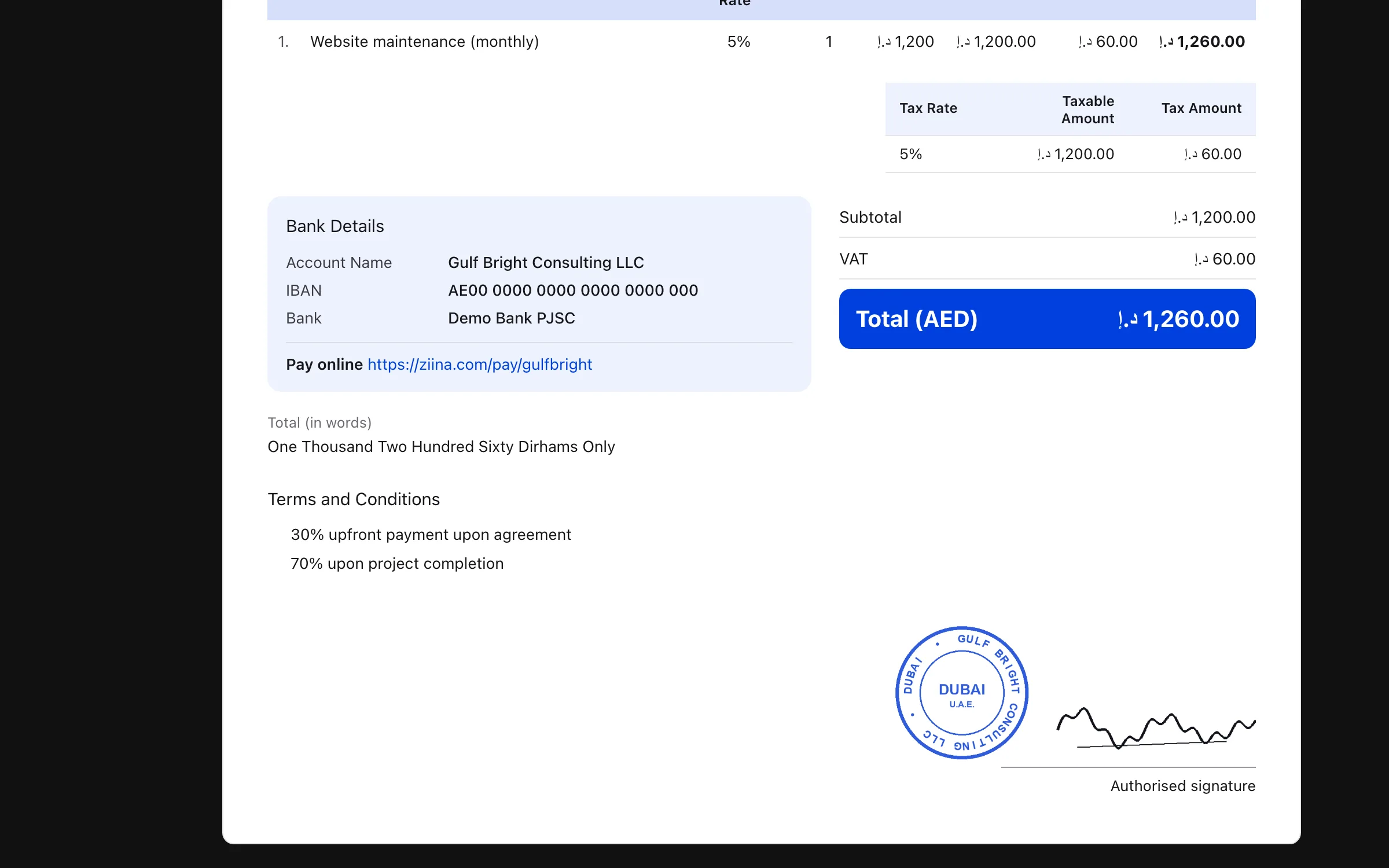
UAE 5%, Saudi 15%, Bahrain 10%, Oman 5%, applied from the first line. Tax invoices carry both tax numbers and VAT split by rate.
Issued tax invoices are corrected with a linked credit note, not edited. The client’s balance adjusts automatically.
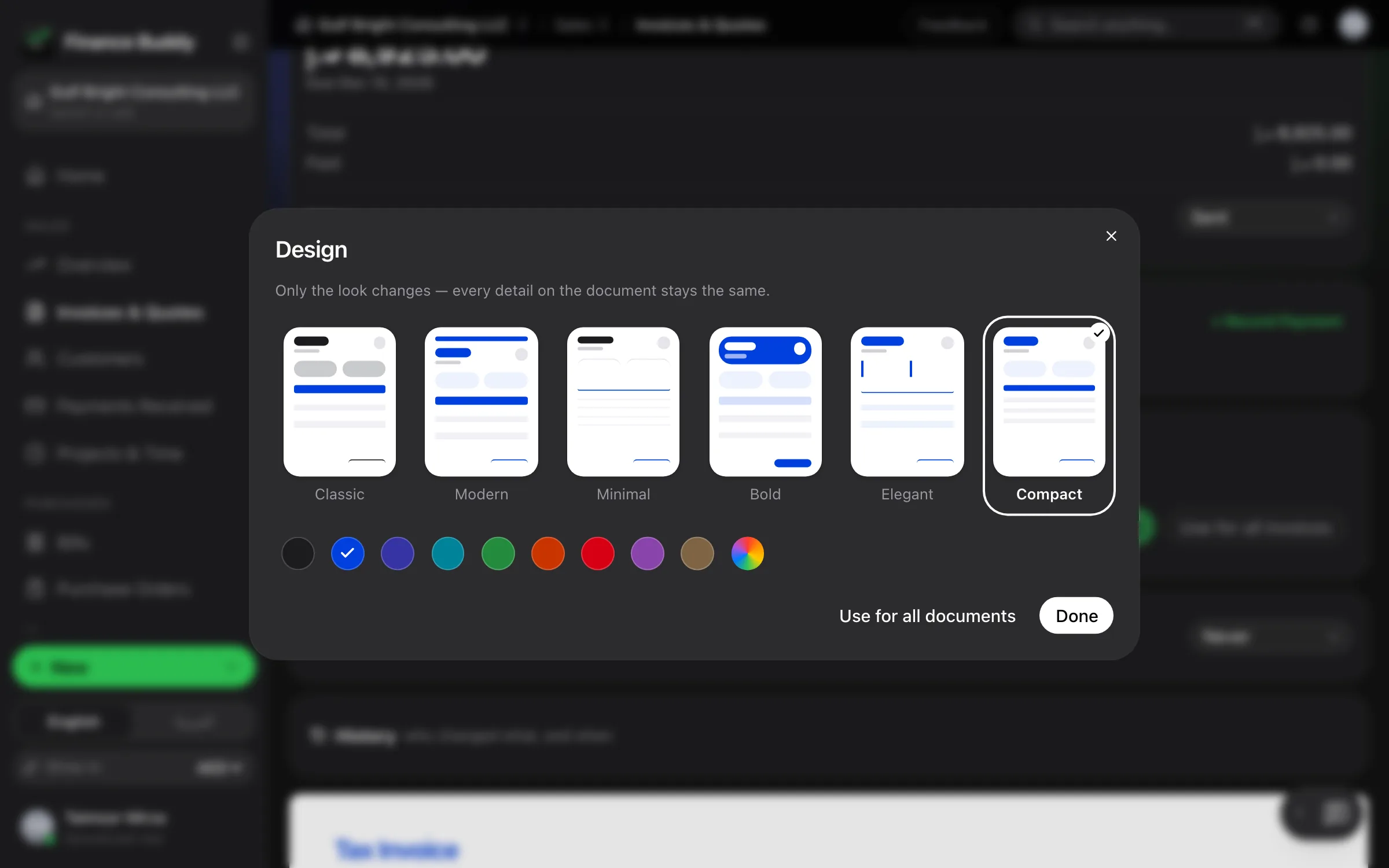
Upload your company stationery. Finance Buddy detects the header and footer and prints every document within them.
Connect your Saudi company to ZATCA once. Each invoice is then sent from its page and comes back cleared or reported, with the signed QR.
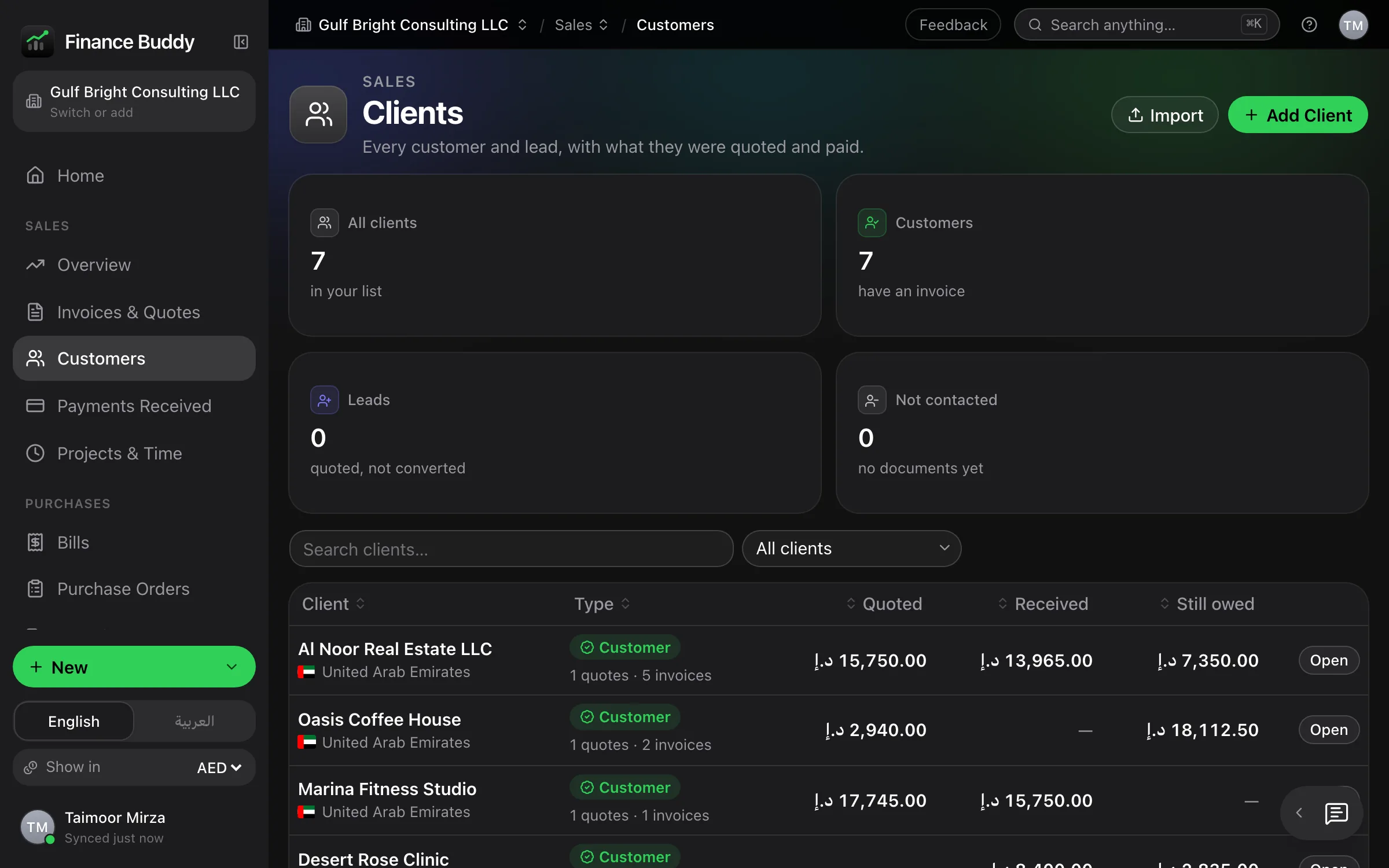
What they were sent, what they paid and what is still owed, with a statement ready as a PDF. Projects get their own page too.
Four Gulf VAT regimes are built in from the start, not added later. Every document is one your accountant and your client will recognise.
ZATCA Phase 1 QR on every Saudi invoice · Arabic or English documents, Arabic fully right to left · Credit notes for compliant corrections


Six steps cover the whole cycle — sales, payments and the books — in one system.
1
Your company, VAT number, bank details and letterhead are configured for you before day one.
2
Pick the client and type. Saved services fill in the price and VAT automatically.
3
Share a branded PDF by WhatsApp or email — your logo, bank details and terms included.
4
When the client accepts, one click turns the quotation into a numbered tax invoice with the ZATCA QR.
5
Mark it paid or part-paid. What each client still owes updates instantly.
6
Import your bank statement, and the ledger, VAT, profit & loss and balance sheet stay current.
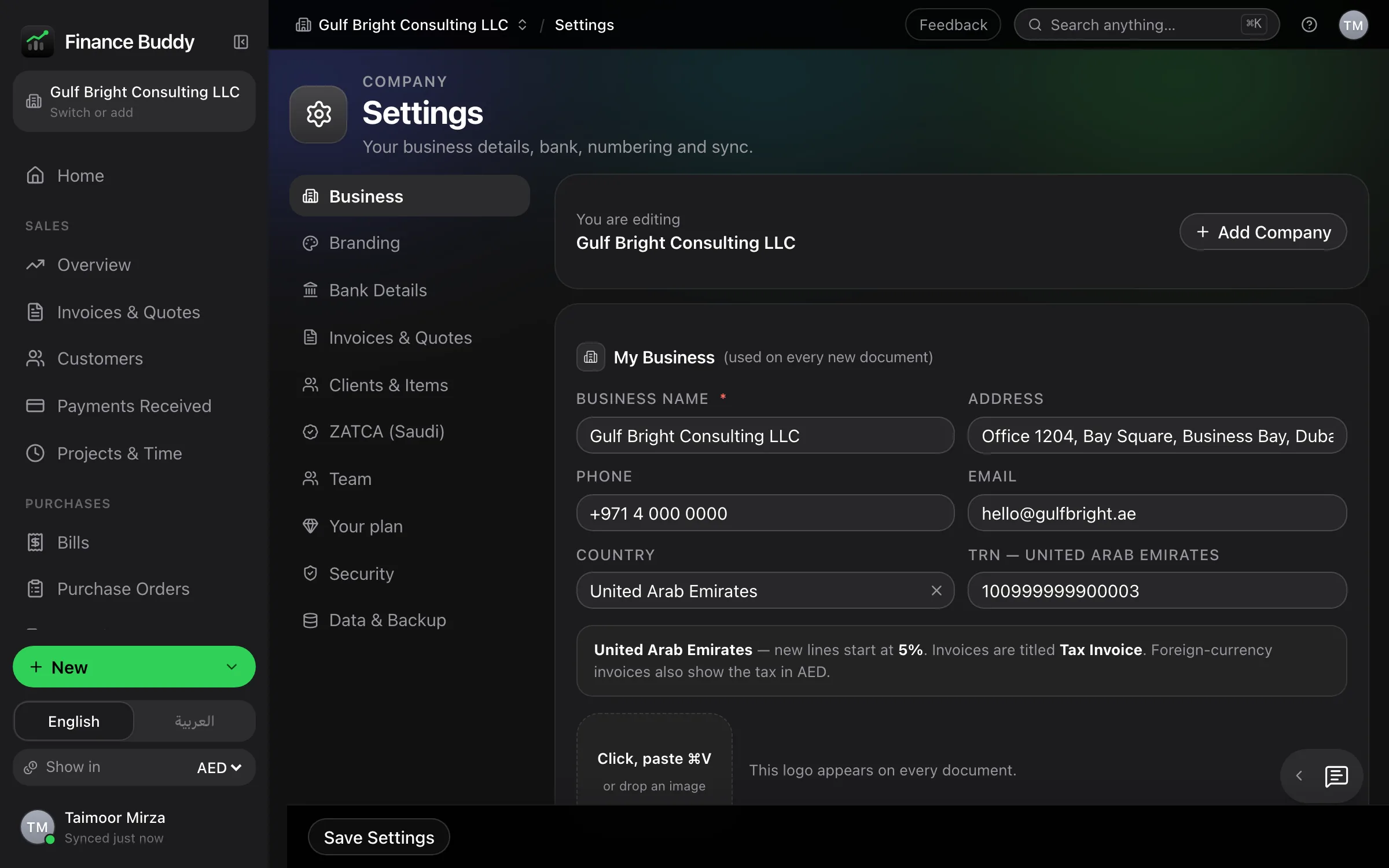
Company details, tax number and bank account are entered once. Every quotation and invoice inherits them.
Clients and services are saved on first use. Two letters recall the name, rate and VAT.
Same figures, a new invoice number, and a permanent link to the quotation.
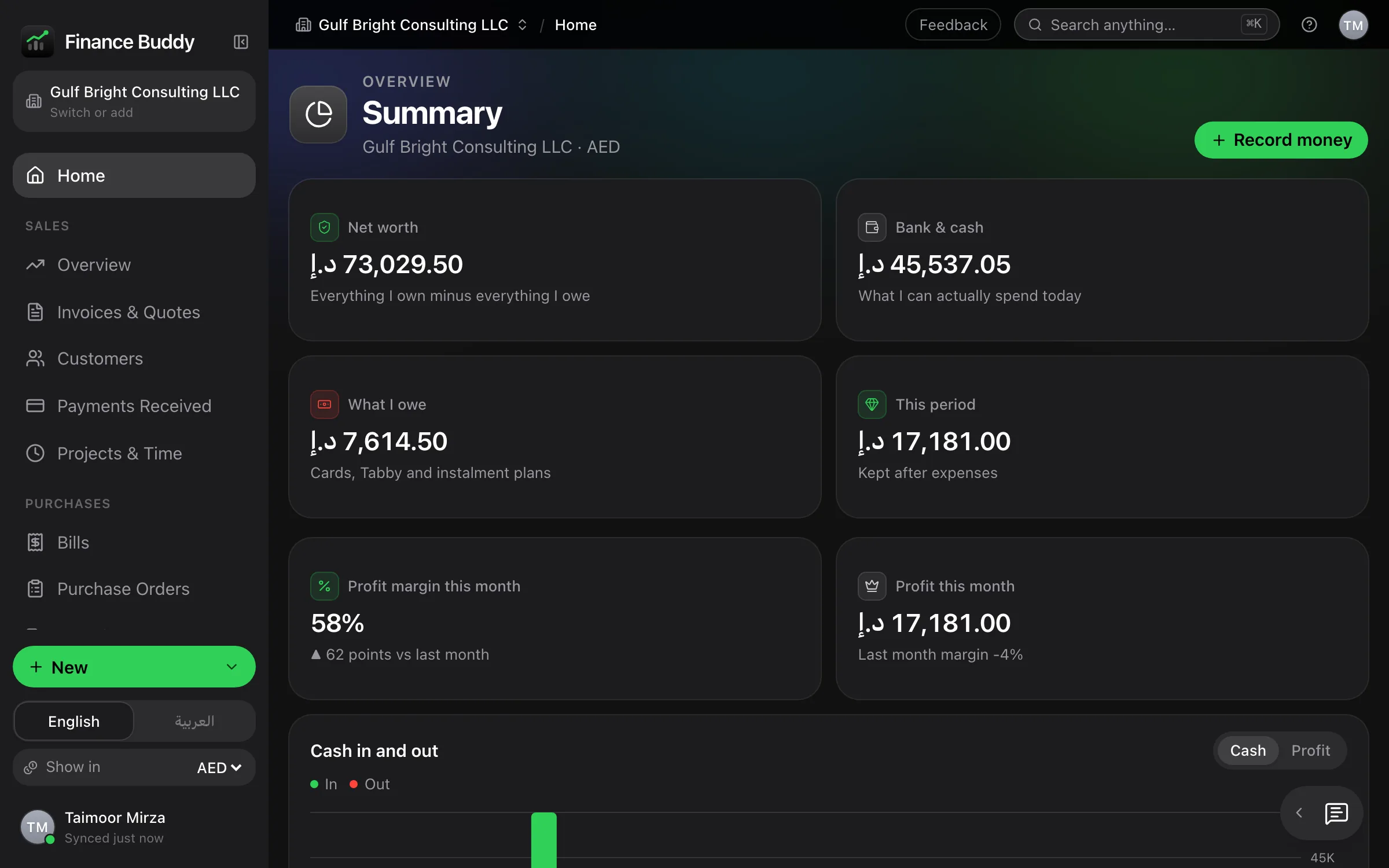
Record a payment and the invoice, receivables, cash received and the books update together.
Every screen below is the live application, not a mock-up. Select any screen to enlarge it.


You take the brief by phone. The client is already on file.
Saved items fill in their prices. The PDF is ready before the call ends.
Recorded payments are already in the ledger. Nothing accumulates for month end.
Invoicing subscriptions typically cost 40–90 SAR a month, for as long as you trade.
Year 5 — 9,000
Year 5 — 2,000
Pays for itself in 14 months. Every month after that is a saving.
Record a payment once. The invoice, dashboard and ledger update together.
The everyday controls that make a system dependable over years of use.
One sign-in opens the same books on your laptop, phone and office computer.
Import past quotations and invoices from CSV, including Refrens exports as they are.
One search across every document, client and screen, on ⌘K.
Errors are reversed, never erased. Both entries remain on record, as accountants expect.
Each imported bank line is fingerprinted. Re-importing a statement changes nothing.
The market rate for the invoice date is filled in for you, and you can always set your own.
Documents, payments, transactions and reports export to Excel or CSV. Your data stays yours.
Each in its own numbering series, linked to the invoice it corrects.
Every table sorts and filters by any column. Filters live in the URL, so views can be bookmarked or shared.
Every client is marked customer, lead or not yet contacted. Your follow-up list builds itself.
For opening balances, corrections and internal transfers. Unbalanced entries are rejected.
The complete feature list, published openly. No sales call is needed to see what you are buying.
Not yet available, stated plainly: UAE e-invoicing through the tax authority (from 2027). It is in development and will be included when released.
Invite your staff and your accountant. Each person sees only what their role allows, and the database enforces it, not just the screen.
| Role | What they can do |
|---|---|
| Owner | Everything. The only one who can add an Admin |
| Admin | Everything, including settings and the team |
| Accountant | Sales, bills and the books. No settings, no deleting |
| Staff | Quotations, invoices, payments and clients only |
| Viewer | Can look at everything, change nothing |
Every change is recorded in the audit trail with who made it and when. Belong to more than one team? Switch company from the account menu.
Safeguards for financial records, built in and included as standard.
Row-level security in the database locks every table to your account, not just the screen.
HTTPS on every request and encrypted storage. Sign in with Google, Apple, or email and password.
UAE, Saudi, Bahrain and Oman VAT, tax invoices in Arabic or English, and the ZATCA Phase 1 QR on Saudi invoices.
Export everything in one file, at any time. Privacy policy written for UAE and Saudi data-protection law — read it.
No monthly fees and no per-invoice charges. Future updates are included.
Invoicing, collections and double-entry accounting, configured for you.
one-time · one company · unlimited documents
Get Finance Buddy →The full product, plus an AI assistant that answers from your books.
one-time · one company · unlimited documents
Get it with the assistant →Everything in Finance Buddy, plus:
We configure your logo, letterhead, bank details, VAT and numbering, and migrate your existing quotations and invoices. You start with a working system, with 10 days of support included.
Sign in with the same account. Invoices, payments and your books wherever you are, in Arabic or English.
Every change requires your approval. The assistant shows the document, the amount and the resulting figures first. Nothing runs until you press Yes — and it cannot delete records.
One-time payment · full setup · 10 days of support included. Need several companies or a team? Ask on WhatsApp.
Yes. One payment per company, with no monthly fees, per-invoice charges or renewals. Future updates are included.
Yes, permanently, not for a single year. Features you already use will never be moved to a new plan.
Yes. Select your country and its rules apply: UAE 5%, Saudi 15%, Bahrain 10%, Oman 5%. Documents are titled Tax Invoice, carry both tax numbers and show VAT by rate. Saudi invoices include the ZATCA Phase 1 QR code, and a Saudi company can connect to ZATCA for Phase 2 e-invoicing.
No, and no compliant system should allow it. You issue a credit note in one click; it references the original, records the reason and adjusts the client’s balance.
Yes. Upload your stationery once; Finance Buddy detects the header and footer and prints every document within them.
In your own private database, never pooled with other customers. Export everything at any time. The app also works offline in the browser and opens on your phone.
Yes. Import them by CSV from your current tool, and import bank statements as .xlsx. Merchant categories are remembered after the first time.
Yes, throughout. Screens and documents are laid out right to left, not translated as an afterthought. Each document is issued in Arabic or English, as you choose.
Through WhatsApp, answered by a person. No chatbot and no ticket queue.
Noura · Finance Buddy
Pick a question, or message me